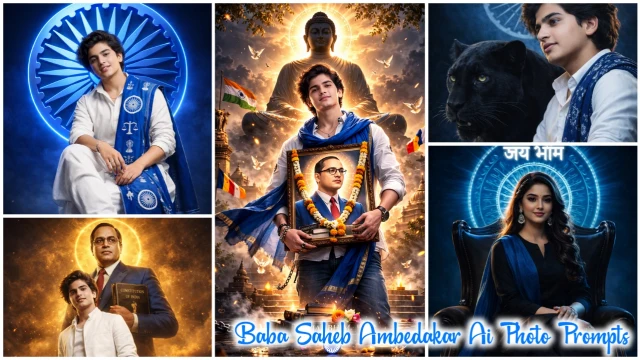
Dr. Bhim Rao Ambedkar ji was not only the creator of the Constitution of India but also the biggest symbol of social justice, education and equal rights. His birth anniversary is on 14 April. And on this day people remember him and celebrate his birthday with great pomp. People express their happiness by posting posts on their social media.
The way of celebrating his birthday has changed in 2026, now people are creating AI photo of Dr. Baba Saheb Ambedkar by using AI photo editing prompt and making great videos from that photo which are both respectful and inspirational.
What Is Ambedkar Ai Video Editing Prompt?
Ambedkar Ai photo editing or video editing is a type of text instruction that tells the AI tool what kind of photo or video to create.
- The background of this video will have the theme of the Constitution or the Indian flag.
- The atmosphere will be respectful.
- Lighting will be dignified and clean.
If you use the right prompt, the output will be of a high quality. All the prompts given in our website are correct and absolutely accurate.
Why Are Ambedkar Ai Photos Trending?
The reason for Dr. Bhim Rao Ambedkar ai photo or video trending is given below.
- More searches due to birth anniversary.
- Postable content on social media.
- Awareness of youth.
Prompts (3)
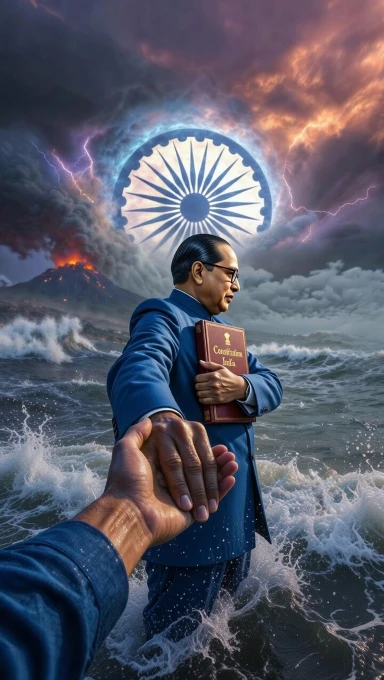
Baba Saheb Ai Photo
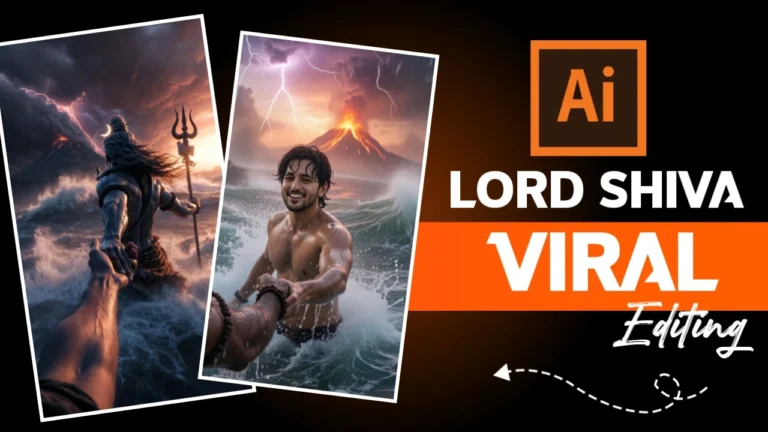
Ultra-realistic cinematic epic scene, first-person POV.
Dr. Babasaheb Bhimrao Ambedkar standing in a raging ocean during a powerful cosmic storm. He is visible from the back side only, accurately resembling the real Dr. B. R. Ambedkar with neatly combed hair and round eyeglasses.
He is wearing his iconic royal blue coat-pant suit with a white shirt. The fabric texture is hyper-detailed and slightly wet from ocean spray.
Dr. Ambedkar is holding the Constitution of India tightly against his chest with one arm. The book cover clearly reads “Constitution of India” in elegant gold letters and has a subtle golden divine glow. The book is pressed firmly to his chest in a protective and inspirational pose.
With his other hand, he is holding the viewer’s hand and pulling them forward. The viewer’s hand looks like a modern slim human hand with no jewelry or accessories.
In the dramatic stormy sky behind him, a massive Ashoka Chakra appears subtly in the clouds with a soft blue divine glow radiating through lightning and volumetric fog.
Massive ocean waves crashing around, lightning striking the sky, dark storm clouds, glowing volcanic mountain erupting in the background, dramatic orange and purple sky tones.
Ultra-realistic, cinematic lighting, shallow depth of field, motion blur on water, high contrast, volumetric fog, hyper-detailed textures, epic scale, divine inspirational atmosphere, 9:16 aspect ratio, 8K resolution, photorealistic, movie still, epic realism.
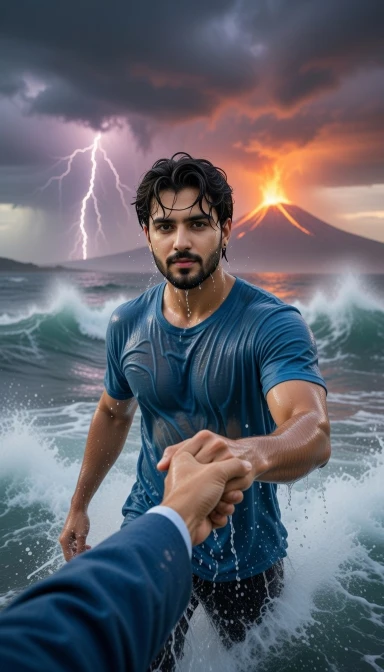
Ai Photo Prompt
A cinematic epic scene from a first-person POV.
Use the uploaded photo as the main subject. Make me standing in a raging ocean during a powerful cosmic storm, fully drenched in water. I am wearing a blue full t-shirt, fabric soaked and clinging naturally to the body with realistic wet texture and folds.
Dr. Babasaheb Bhimrao Ambedkar is standing in front of me (not fully visible). Only his right hand and part of his blue coat sleeve should be visible in the frame. His right hand is holding my right hand firmly and pulling me forward in a powerful, inspirational way.
Dr. Ambedkar’s hand should look realistic, strong and detailed with visible veins and natural skin texture. He is wearing his iconic royal blue coat (only sleeve partially visible), accurate to his historical appearance.
Massive ocean waves crashing around us, dark storm clouds, lightning striking the sky, glowing volcanic mountain erupting in the background, dramatic orange and purple sky tones, epic scale, inspirational aura.
Ultra-realistic cinematic lighting, shallow depth of field, motion blur on water, high contrast, volumetric fog, hyper-detailed wet skin and fabric textures, dark dramatic sky, 9:16 aspect ratio, 8K resolution, photorealistic, movie still, epic realism.
How To Create Baba Saheb Holding Hand Ai Photos?
Friends, a photo is made very easily in Grok AI and it gives two types of results from one prompt. The user can download it as per his choice, so now read the steps given below and start creating your image.
- So first of all you have to copy the prompt given in the image and click on the “Create Image With Grok Ai” button given below it.
- Now Grok Ai will open. You have to click on the (+) icon. And upload a good selfie of yours.
- You have to click in the text box given below. And paste the prompt there and send it.
- Now the image will be created in some time, then you download that image.
Video Prompt
Create a single continuous cinematic shot using the two uploaded images as the start and end reference. The video begins in a first-person POV. The camera shows only the front person’s shoulder, arm, and hand holding the viewer’s hand. The camera moves forward naturally, as if the viewer is walking through ocean waves.
Water splashes, rain falls, lightning flashes, and a volcano erupts in the background. Without any cuts or scene changes, the camera smoothly moves around the subject in one fluid motion, maintaining the hand-holding connection. The movement feels like a natural body-mounted camera (steady but realistic). As the camera completes the movement, it ends facing me, fully revealing my face and body while I continue walking forward through the water, still holding the viewer’s hand. Technical Style: Single take, one-shot camera, no cuts, no jumps, smooth cinematic motion, realistic physics, slow motion water splashes, dramatic lighting, ultra-realistic textures, epic storm atmosphere, 4K cinematic quality, natural human movement, stable focus, no flicker.
How To Create Baba Saheb Holding Hand Ai Videos?
With the help of prompt, we can create AI video in just one click. If you also want to create it, then read the steps given below and start creating your image.
- So first of all you copy the video prompt given below. And below that click on “Create video Button”
- Now Google Flow website will open, click on “Text To Video” and click on “Frame To Video”.
- Now upload the photo you made with Grok Ai by clicking on the (+) icon given below.
- You paste the prompt instead of text and send it. Lord Shiva Holding Hand Ai Video will be created in some time and then you can download it
Conclusion
Dr. Bhim Rao Ambedkar Holding Hand Ai Prompts 2026 This is a completely new way of remembering him. Make a wonderful video of yourself with him and post it on your social media at the time of his birth anniversary.